Welcome back to our monthly Dev Diary series!
Last time, in Dev Diary #2, we explored the lore of Veil of Ashes and got an overview of its main features. This time, we're diving into the different stages of map creation to show you how our team transforms a concept sketch into a fully playable battlefield, from shaping the terrain and adding environmental details to setting up navigation and gameplay.
Let's take a look behind the scenes!
The Map Creation Phases
To produce a finished, playable map, several phases must be completed. It begins with a concept sketch, followed by the creation of a blockout, after which the map is decorated with assets. At the same time, work can already begin on setting up the map for gameplay.
Design Phase
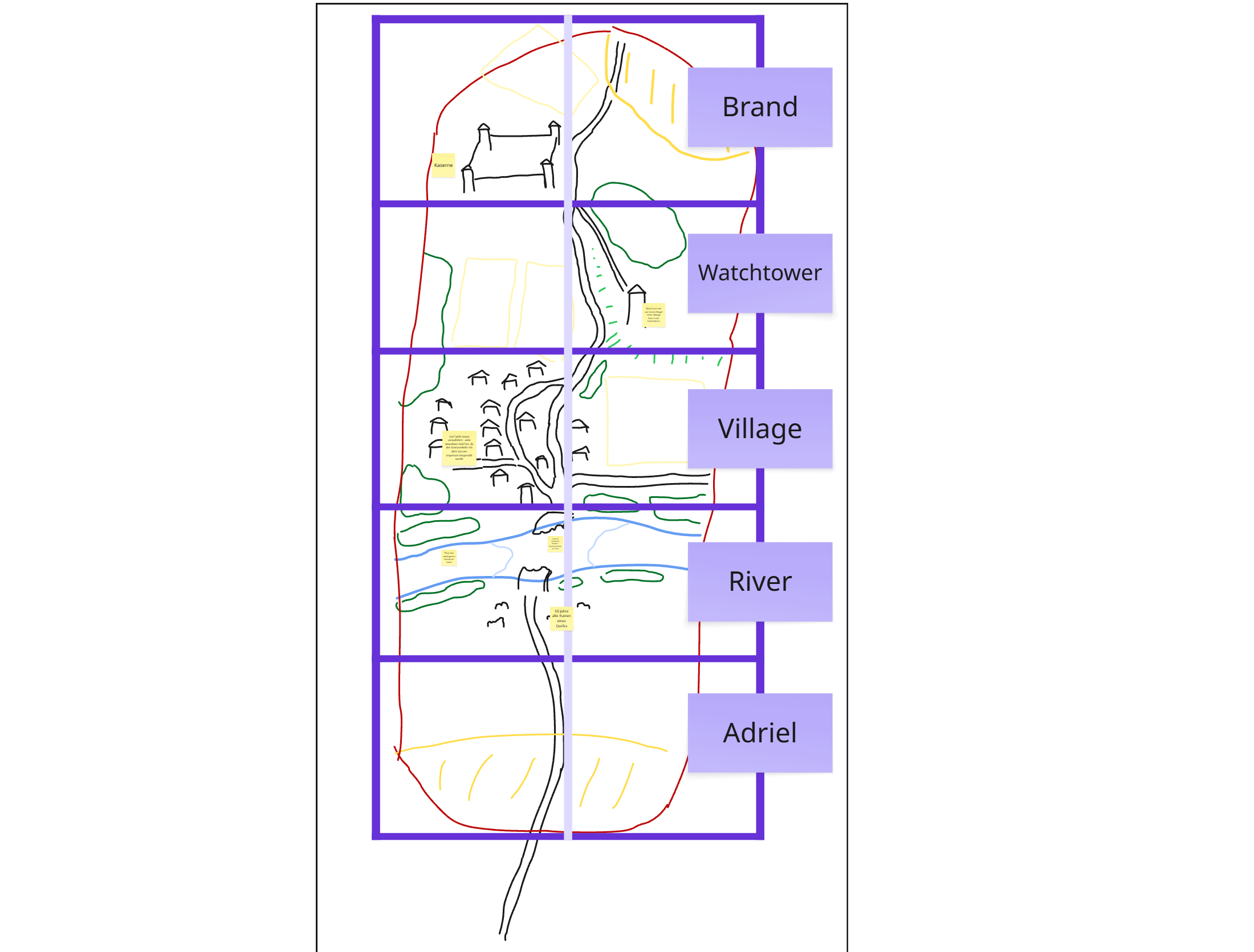
During the design phase, our game designer creates a sketch of the map’s layout. Real-world references are often used to help estimate the proportions more accurately.
We use a Miro board on which we collect concept sketches, reference images and suggestions for improvements whilst designing the map.
The map is divided into several sections so that each area can be designed one at a time.
Map Setup
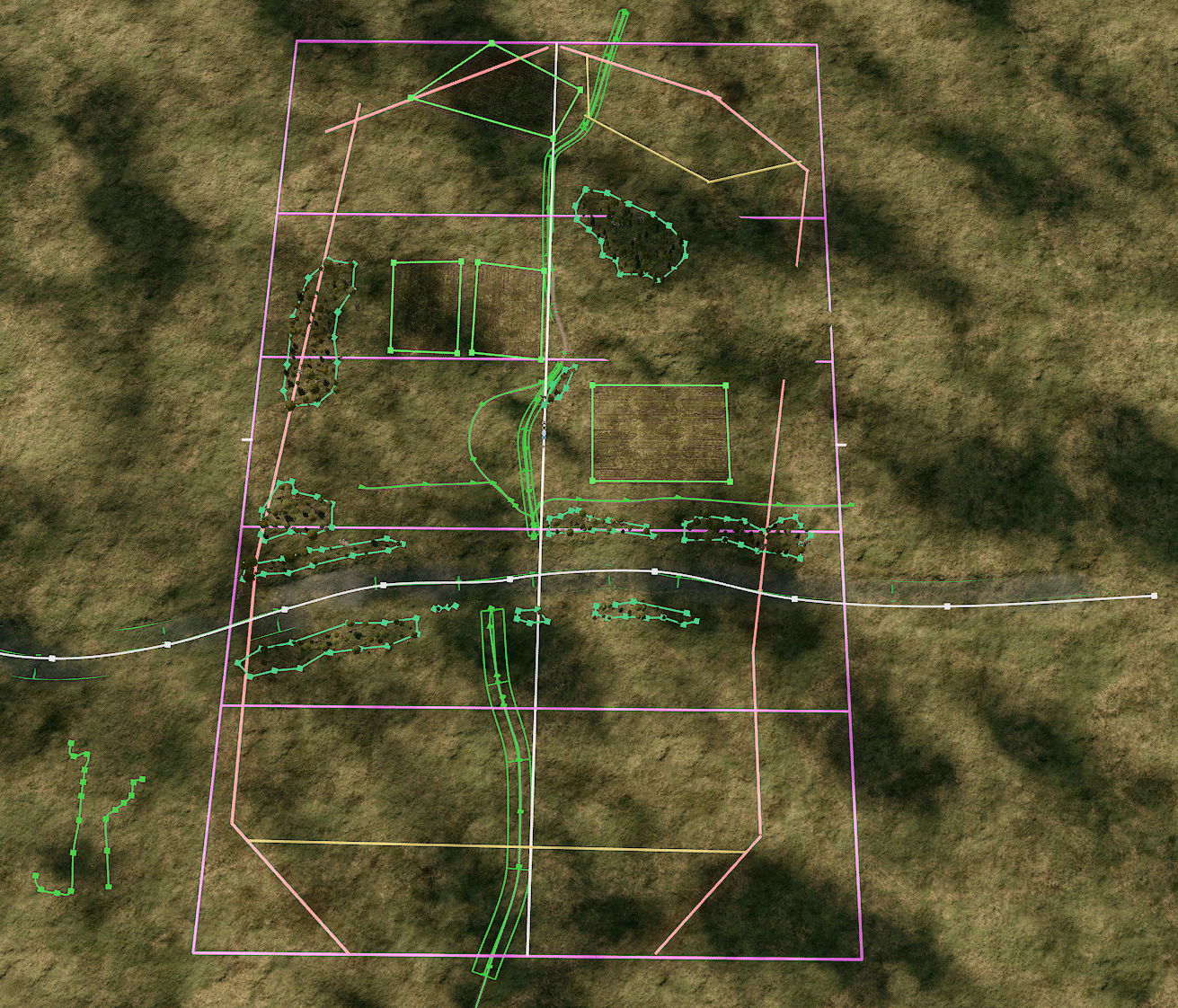
Once the map concept is finalised, it can be set up in Unreal Engine. To speed up the process, we have a pre-set empty level which is used as a basis.
The rough map borders and editing areas are then represented using blocks that help with orientation on the map whilst editing.
Rough Layout
Now we can begin the rough layout of the map. To do this, we use the landscaping tool to create variations in elevation on the map by adding hills and valleys. Buildings, roads, woods, fences and, where applicable, fields, rivers and lakes are also roughly positioned at this stage.
Once the rough design is complete, it is discussed within the map team and can be amended if any further adjustments need to be made. After this phase, gameplay implementation will be done in parallel.
Detailed decoration
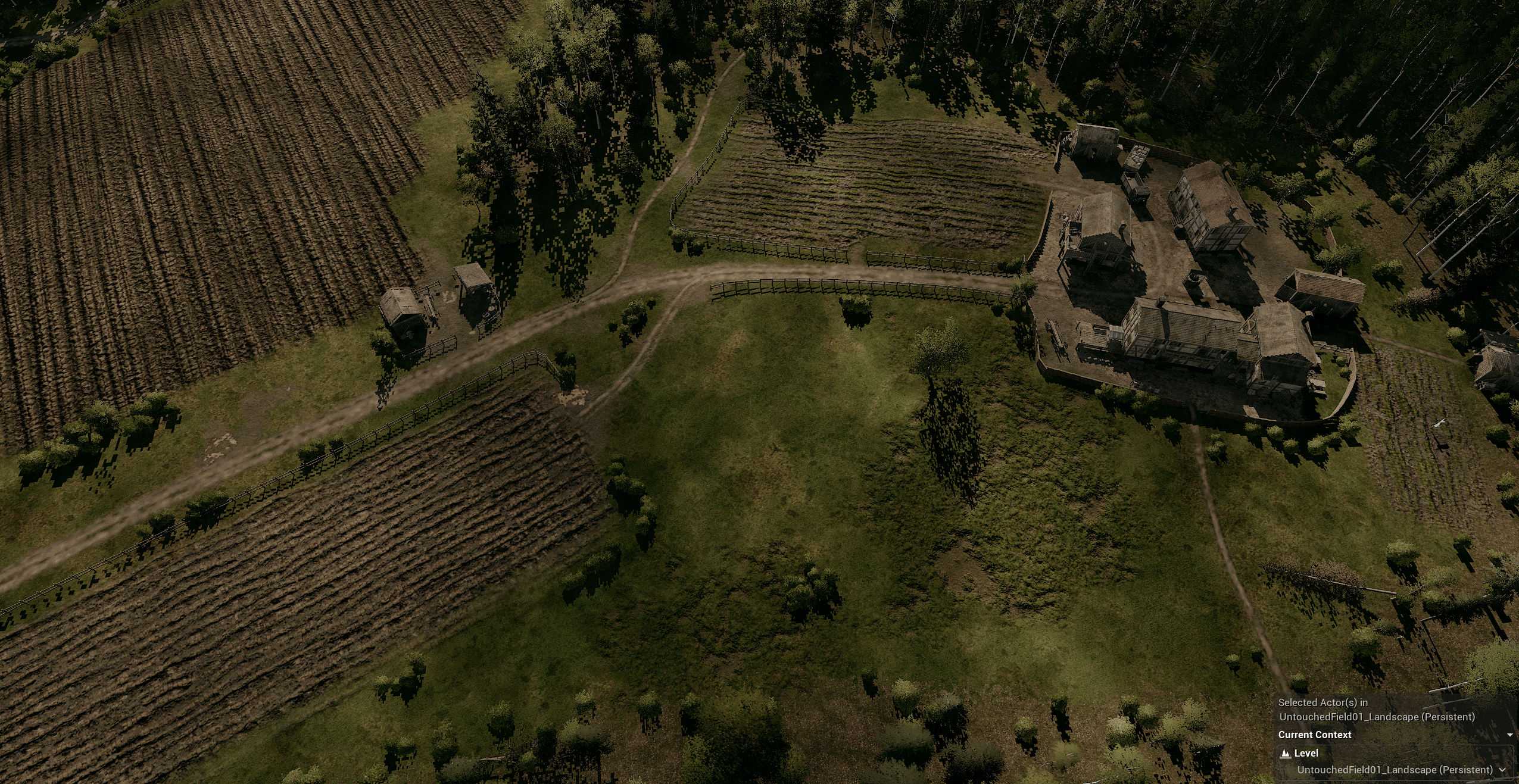
Once the rough layout has been finalised, work can begin on the detailed decoration of the map. This involves placing small decorative assets such as lanterns, crates, sacks, carts, tables, benches and similar items on the map.
During this phase, puddle-decals and foliage assets such as bushes and trees are also placed within the landscape. To add more variety to the green spaces, grass-patch-decals are also used.
 Texture & Id Painting
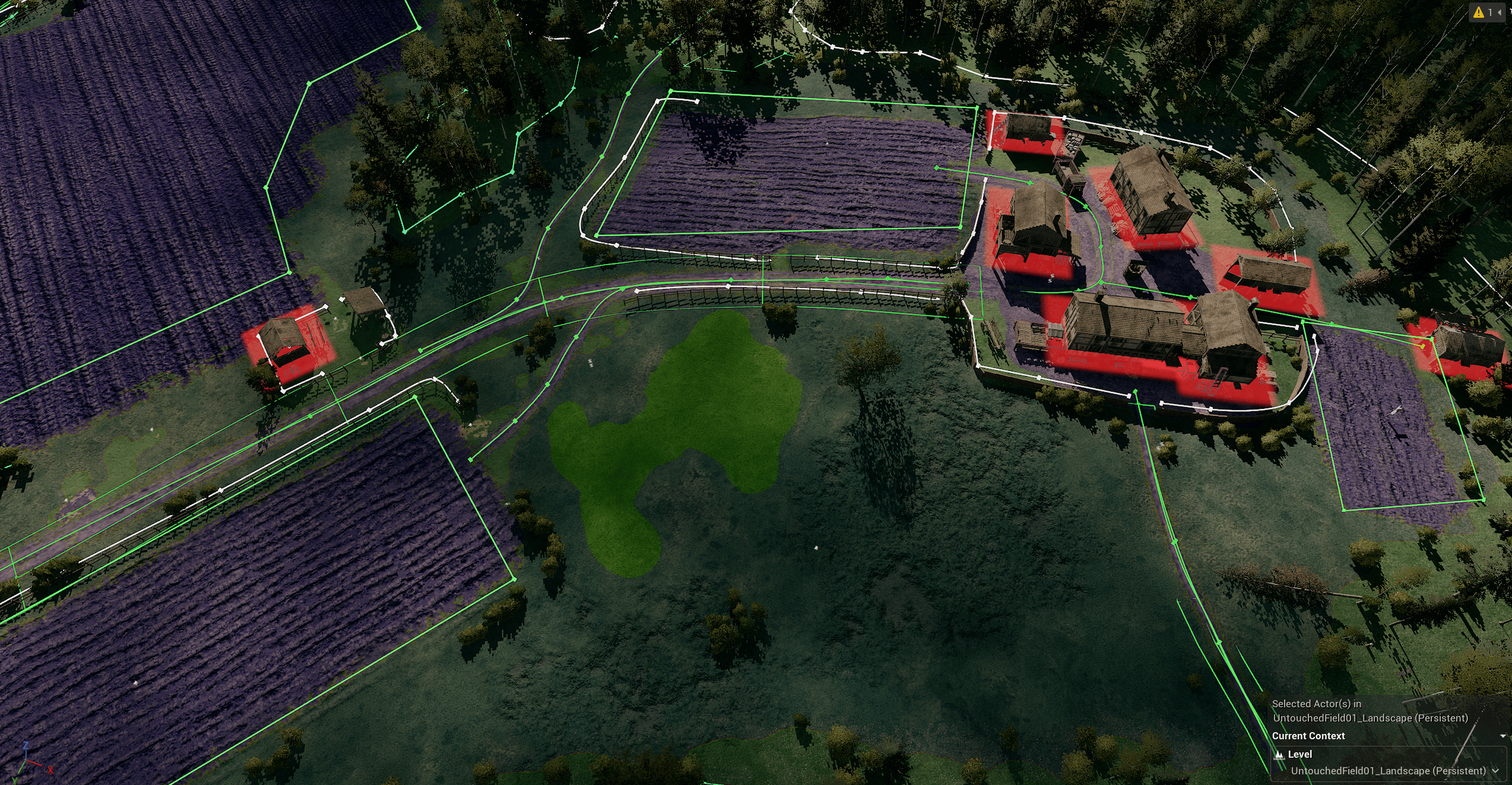
To define which texture should be displayed on the ground, we use a custom texture painting system. This system allows us to use layers like in a photo editing software. We can reorder layers, change their texture, disable or delete them. This gives us much more freedom than what unreal has to offer by default. For example, in villages beneath houses we use a cobblestone texture, whilst for dirty and muddy areas there is a dirt and mud texture.
Besides texture layers, we can also paint ID layers. IDs define the ground type for gameplay. This for example determines the correct effect, such as splashing mud or swirling dust. Also IDs define which foliage will grow in this area.
 Refinement Phase
During the refinement phase, all map areas are reviewed once again to check, for example, whether all IDs have been set correctly, whether there are any floating assets, and whether all assets have been sorted into the correct folders in the Unreal Engine outliner.
Environment destruction
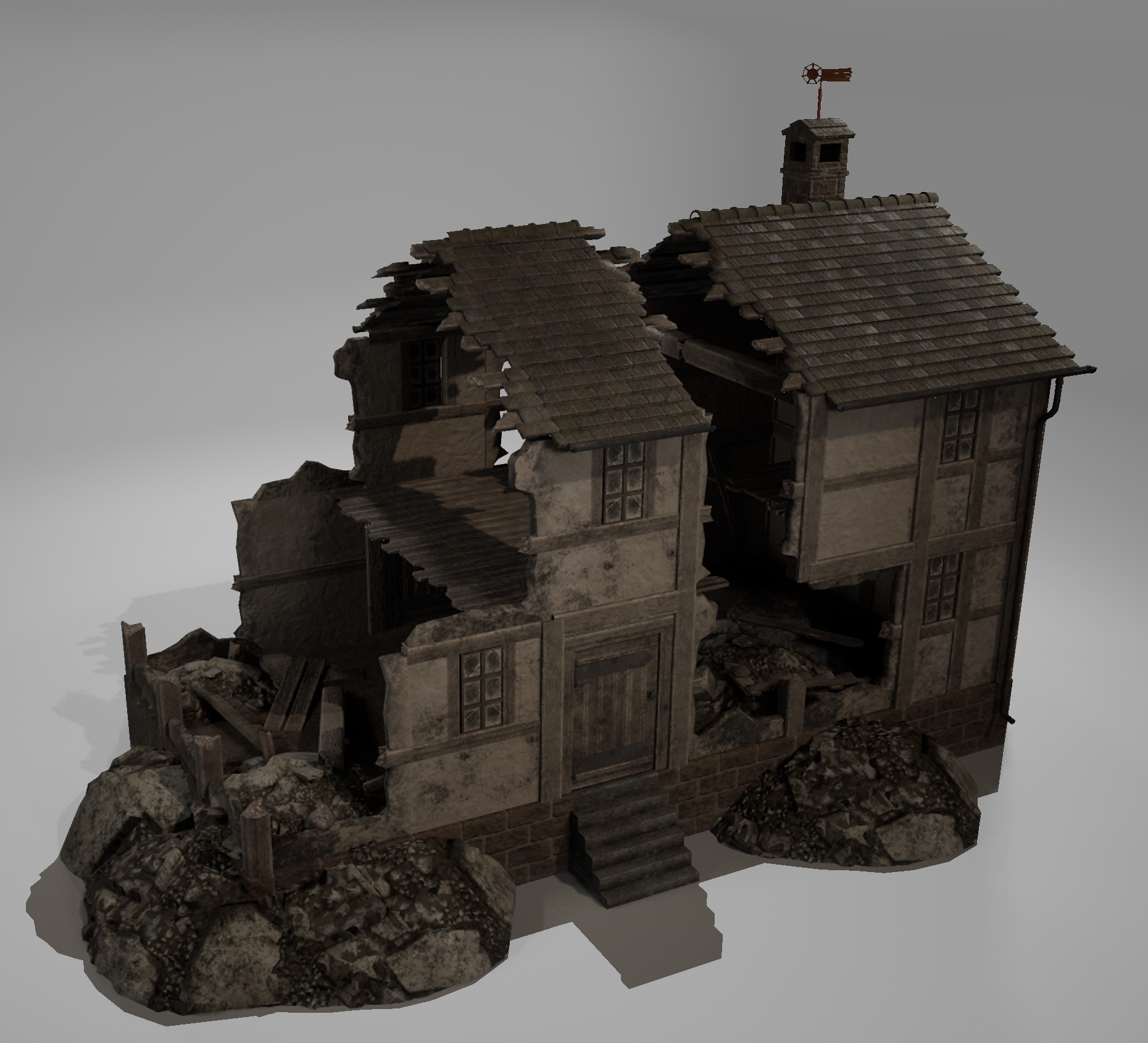
Environment destruction is a key feature in Veil of Ashes. That is why we use so-called ‘Destruction Actors”. These ensure that smaller assets become physical objects and that larger assets break up into several pieces when hit by projectiles or run over by tanks.
Houses are implemented using presets, in which floor, wall and roof sections are assembled. If a house is hit in a specific area, that particular section is destroyed, whilst the rest remains intact. This feature is not implemented in the gameplay yet.
Gameplay Setup
The map setup for gameplay can begin as soon as the basic map layout has been finalized.
Navigation
First, rough areas are defined which will allow navigation data to be created on the map. This makes it possible for units to move across the map.
Next, the map border is created. This defines the outer edge of the playable area and is surrounded by navigation blockers, ensuring that no unit can go outside this boundary.
These general blockers block all unit types and are also placed within the map in locations where units are not supposed to go (e.g. rivers or the sea).
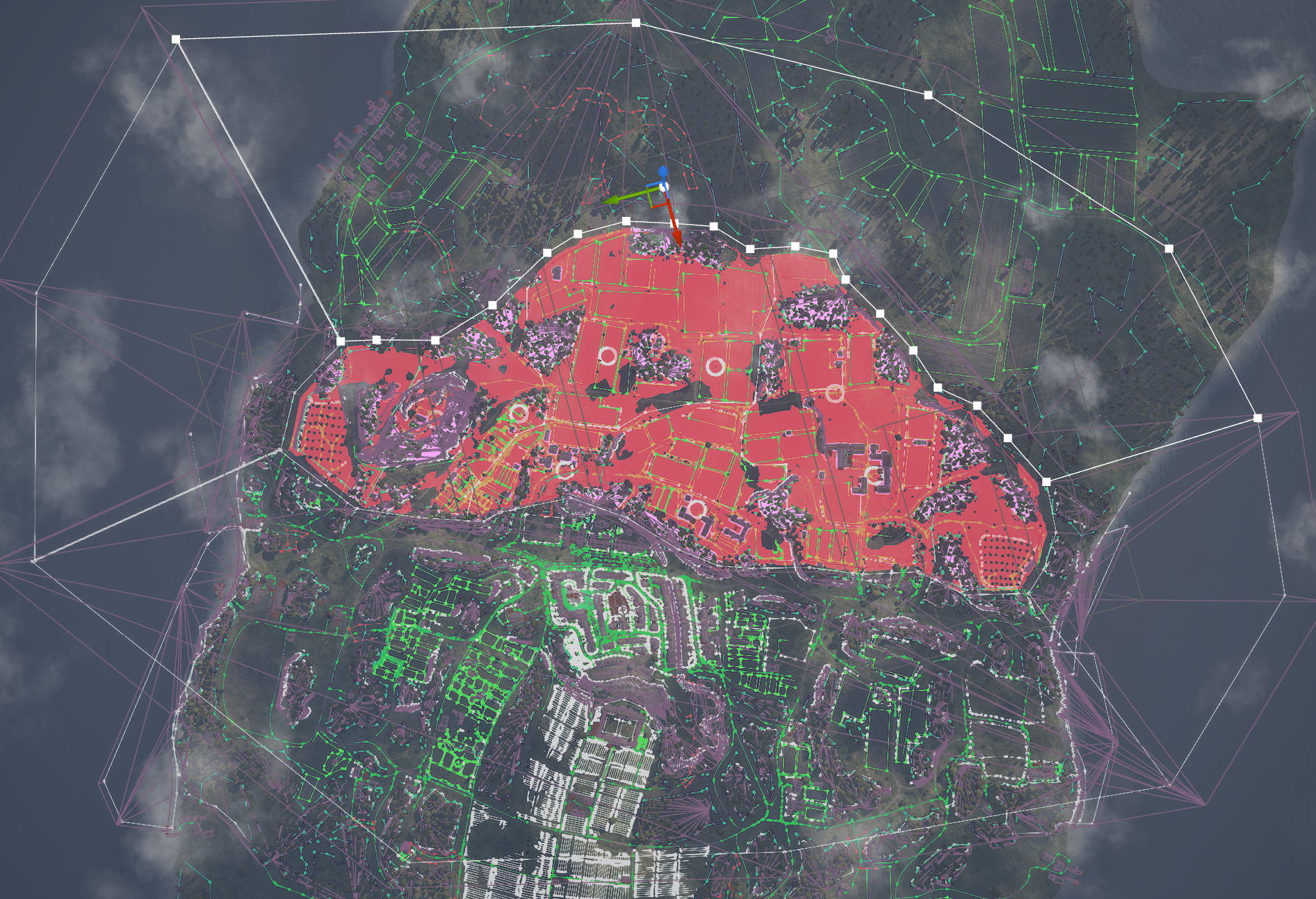
Specific navigation blockers ensure that certain unit types cannot pass through certain assets. For example, vehicles are not allowed to drive through forests and some slopes are too steep for Behemoths.
Deformation-Blocker
All large assets, such as houses, large rocks and various bodies of water, require deformation blockers as well as navigation blockers.
Deformation blockers are used to ensure that the landscape cannot be deformed by a crater at this location.
They prevent a crater from forming beneath the asset, which would otherwise cause it to float in the air.
Gameplay-Level
Once this is done, a gameplay level will be set up for each game mode. At the moment, we are working exclusively on conquest levels.
On larger maps, several variants are created for different team sizes, e.g. 1v1, 2v2 or 4v4.
Each of these maps requires a starting area for each team, where the units are getting deployed.
The rest of the map is divided into sectors, each of which is assigned several capture points. To claim the entire sector, all capture points within that sector must be captured.
Next, stationary guns are placed at some of these capture points; these spawn in the game once the corresponding sector has been captured.
On larger maps, additional UnitEntries must also be placed in certain sectors. These are locations where Behemoths can enter the map as an alternative to the starting area, once the relevant sector has been captured.
All these elements are interlinked and must be correctly connected to one another in order to function properly.
Finally, the PlayerStartView is set – a nice section of the map that you see first when the map loads.
Once all the gameplay steps have been completed, the map is ready to be incorporated into a new build and tested.
What’s Next?
There's a lot more to a battlefield than meets the eye, and now you've seen a little more of what it takes to turn ours into a playable experience.
If you have any questions or comments, please feel free to post them in the comments section and join the community on Discord to not miss any of our exclusive insights and updates!
Wishlist Veil of Ashes now.